The Main Menu
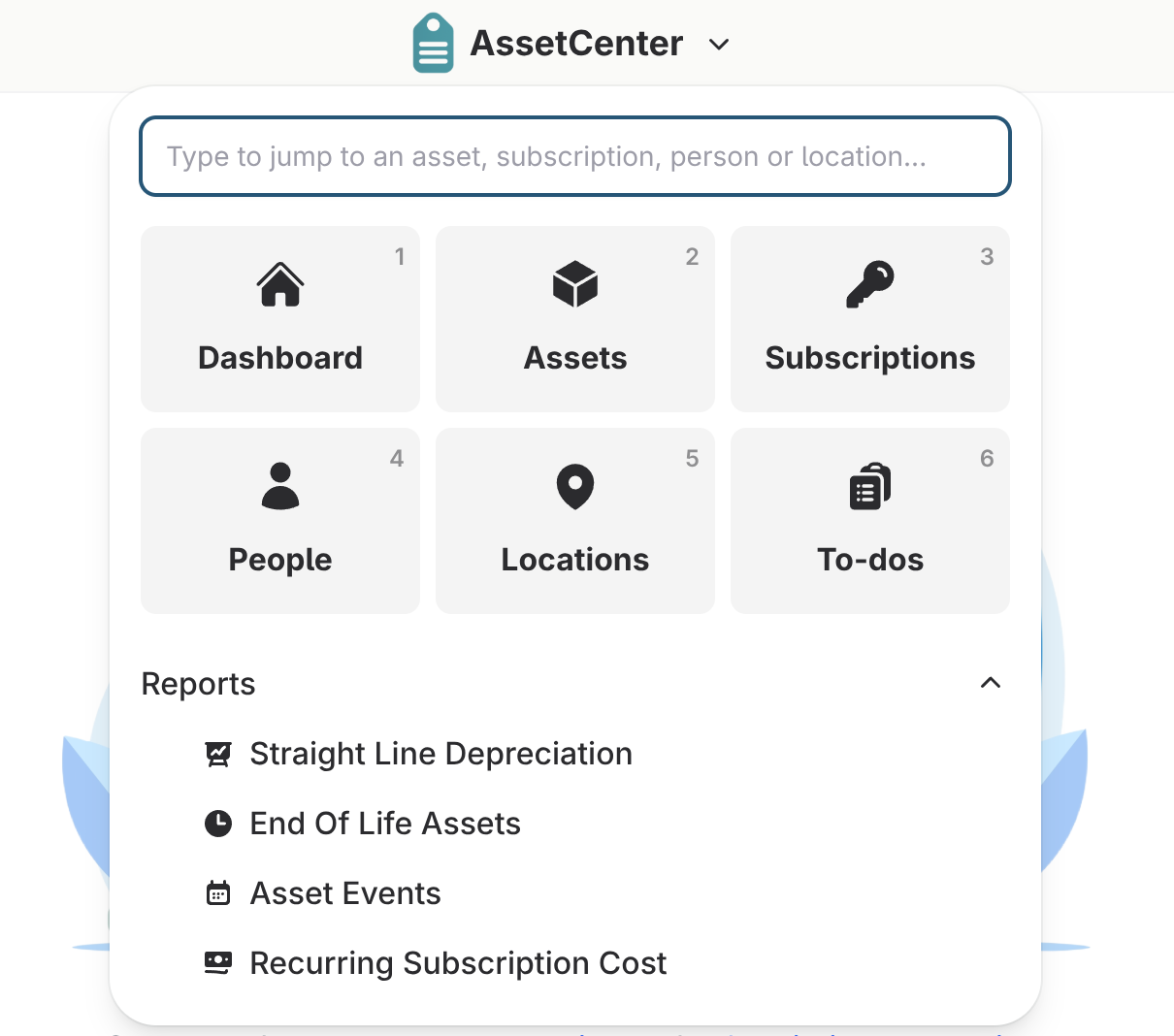
The AssetCenter main menu is located in the top middle navigation bar. The AssetCenter logo opens the main menu. There is also a shortcut keyboard command. Ctrl/Command + K will open the menu.
The top search box is for quickly navigating to an asset, subscription, person or location. Just start typing and it will populate with the search results.
The Dashboard through To-do button are the main pages and can also be navigated to using the keyboard shortcut Ctrl/Commant + 1-6.
The reports turn your data into insight. Explore how assets, subscriptions, and costs move across your organization and export any report to Excel for deeper analysis or sharing.